Welcome to MagMirror
# 01 — OverviewA MagSafe creator accessorythemagmirror.com

Your phone's best camera
is on the back.

MagMirror turns your rear camera into a professional content creation studio — screen mirroring, pro-grade lighting, and hours of power, all in one MagSafe-compatible accessory.
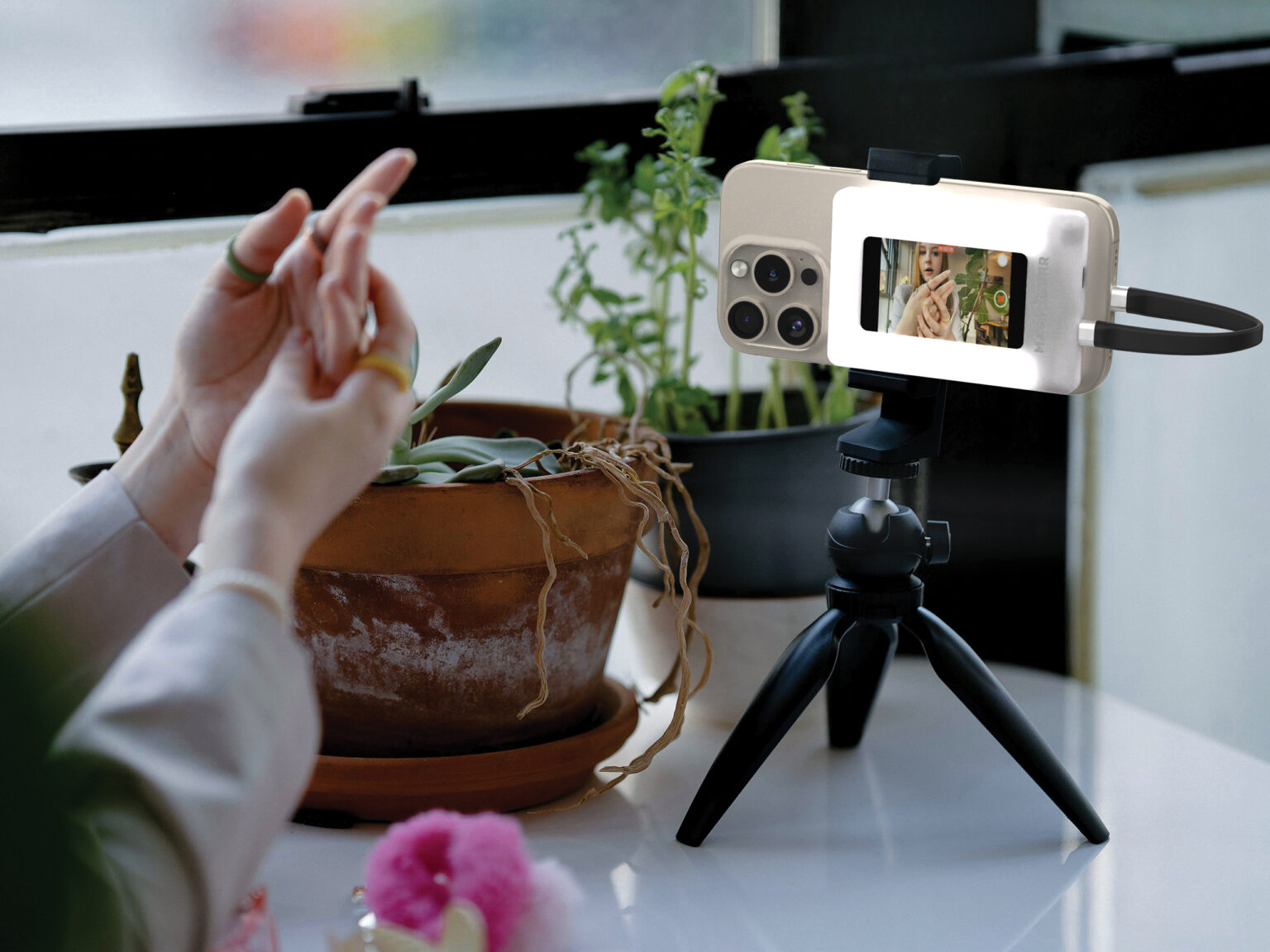
MagMirror mounted on a phone and tripod, mirroring the rear camera's live preview on its built-in display
02What it does

Three tools,
one device.

A complete creator setup that clips onto your phone. No rigs, no cables, no tripod tower — just screen mirroring, pro-grade lighting, and built-in power, all MagSafe-simple.

01 / Feature

Screen mirroring

A built-in display mirrors your phone's screen on the back, so you can frame vlogs, selfies, and live streams with your high-quality rear camera instead of the front one.

02 / Feature

Professional lighting

Four LED modes — soft, warm, bright, and party — keep your footage lit for any setting, from makeup tutorials to late-night streams.

03 / Feature

Built-in power

Up to 5 hours of independent runtime, plus 4 hours of wireless charging for your phone. Shoot all day without chasing an outlet.

03See the difference

Front cam vs. rear cam
vs. MagMirror.

Same creator, same room, three setups. The gap between "it'll do" and "post it as-is" is mostly about which lens is pointed at you — and whether you can see what it's doing.
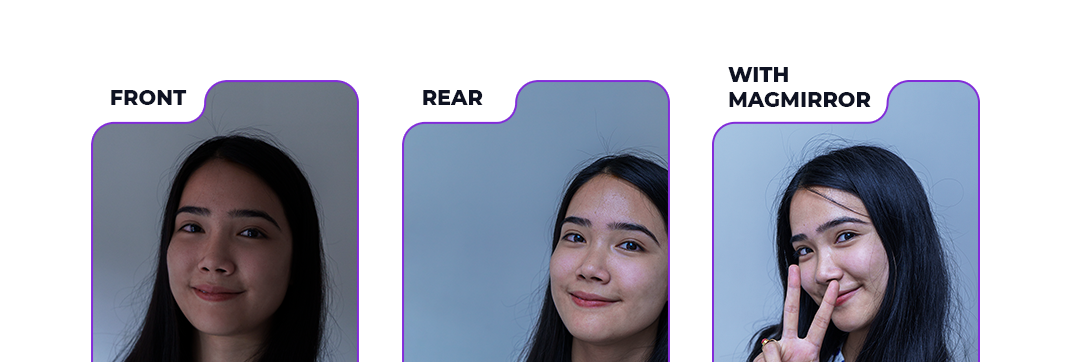
Front camera

Grainy, low contrast, ~20% flat light.

Front sensors prioritize video-call basics. No HDR, narrow dynamic range, washed-out skin tones — fine for quick selfies, not for content your brand pays for.

Rear camera

4× better camera. Sharp 4K HDR, 300% brighter.

The rear camera is the one you actually paid for. Problem: you can't see yourself while you shoot it.

With MagMirror

Rear camera + live preview + 4 LED modes + power.

Mount once. See yourself framed through the lens you want to use. Light it. Shoot all day. The shot you always meant to get.

04With / without

The difference,
line by line.

MagMirror replaces the patched-together rig most creators carry today — front-cam framing, ring light, power bank — with one MagSafe-simple device.

Without MagMirrorWith MagMirror
Framing
Mediocre front camera, soft selfies, low dynamic range.
Rear camera's best glass — sharp, detailed, cinematic.
Preview
Flip the phone back and forth, hope the shot landed, reshoot.
Live mirror on the back — see yourself as the lens sees you.
Lighting
Pray for good light or carry a separate ring light.
Four LED modes built in — soft, warm, bright, party.
Power
Battery drains in an hour of filming. Outlet hunt.
5h independent runtime, plus 4h wireless charge for your phone.
Built for creators

For people who film
with their phones every day.

MagMirror started as a fix for a specific frustration — you want to vlog with your phone's best camera, but you can't see what you're shooting. We built a single device that solves it, and added the lighting and power you'd otherwise be lugging around separately.
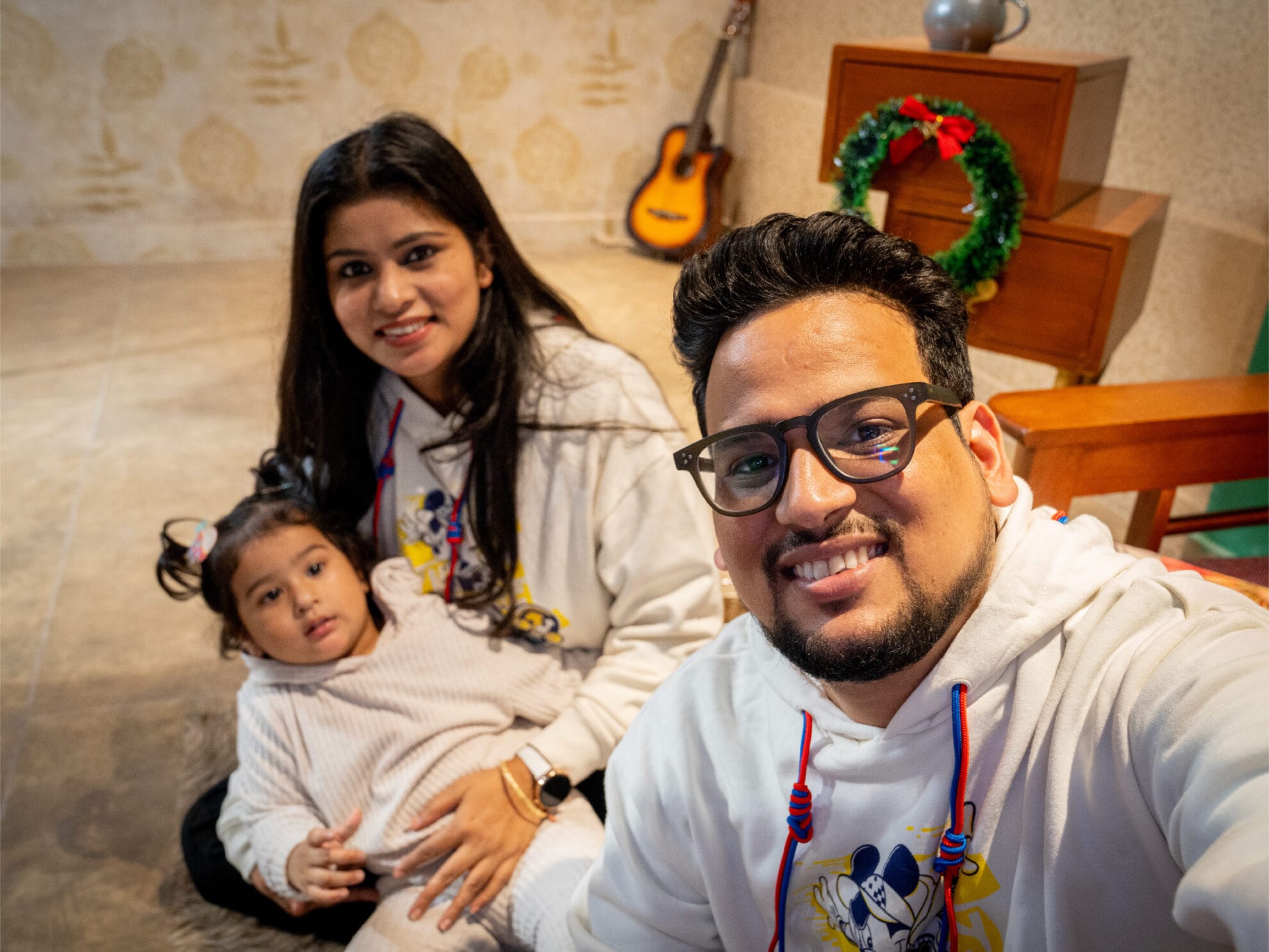
A family selfie taken using MagMirror — everyone in sharp focus thanks to the rear camera and built-in lighting
05How it works

Three steps
to a full setup.

No app, no pairing, no firmware. Snap it on, flip the phone, start creating. The whole thing is designed to be invisible once it's on your device.
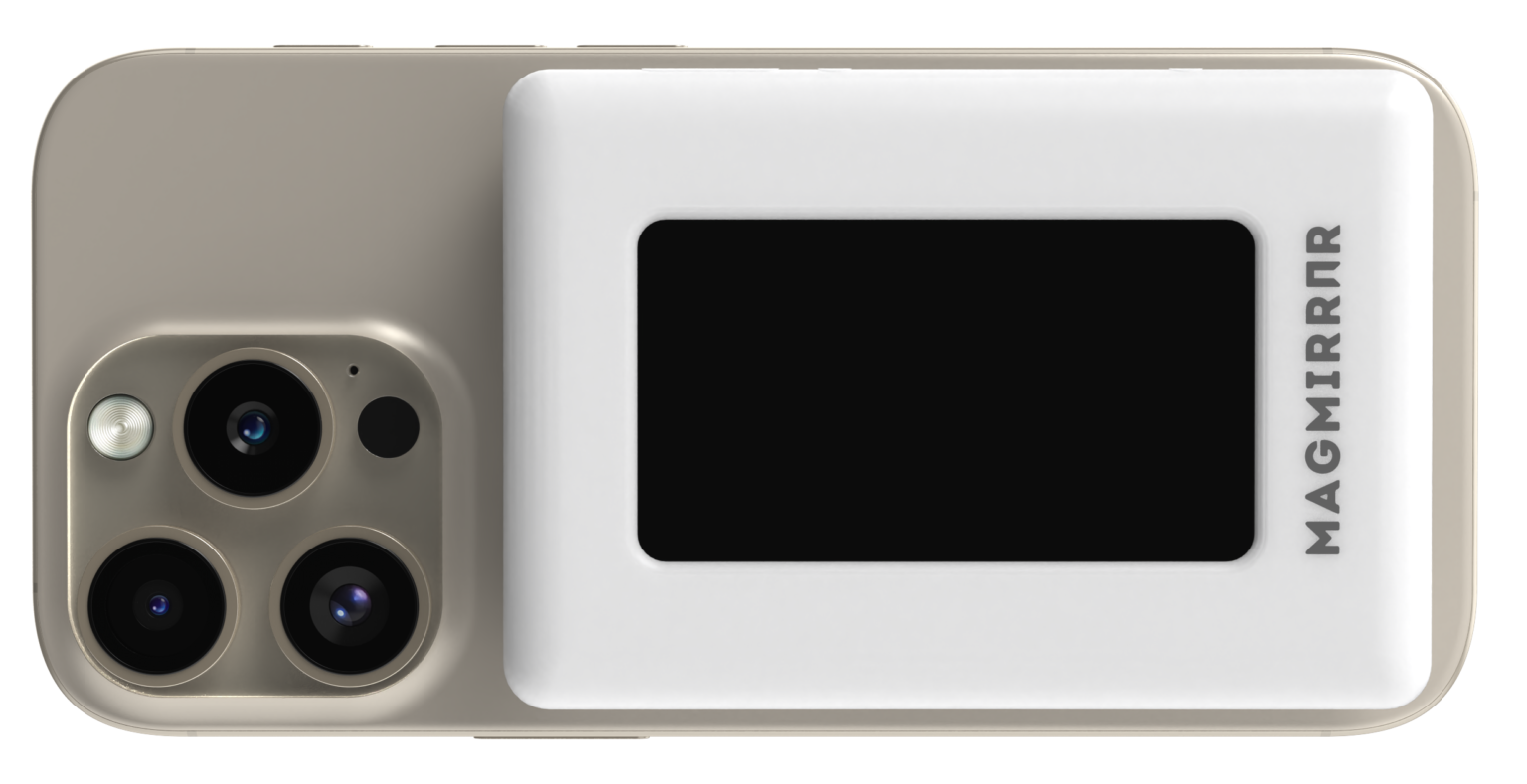
MagMirror product render showing the MagSafe attachment face and rear mirror display
Step 01

Snap it on

MagMirror clicks on via MagSafe to any compatible iPhone. For older iPhones or Android, use the included adapter ring — same instant attach.

MagMirror mounted on a phone, mirroring the rear camera's live preview on its built-in display
Step 02

Frame with the back

Flip the phone around. The built-in display mirrors your screen so you can see yourself while shooting with the rear camera's best glass.

A family filming with MagMirror — everyone in sharp focus thanks to the rear camera and built-in lighting
Step 03

Dial lighting + shoot

Pick a lighting mode — soft, warm, bright, or party — and start creating. Built-in power keeps you rolling for hours, no outlet needed.

06Quality pays creators

High-quality clips
don't just look better.

Brands and algorithms literally pay more for them. Three numbers that explain why a rear-camera rig with proper lighting isn't a vanity upgrade — it's a multiplier.

Trust wins
9 / 10
viewers decide brand trust by video quality

Clean framing and even lighting are the first signals audiences read. Low-quality clips get skipped before the hook lands.

Source — Nielsen, 2021
Talk value
≈ 1 : 1
creator mentions trusted nearly as much as personal recs

Branded talk tracks from trusted creators land almost as hard as word-of-mouth. Quality of delivery is the floor.

Source — Brightcove
Earn more
higher payouts for high-quality creators vs. low

Brands and algorithms both reward production value. Better light and sharper footage move creators into the top-paid tier.

Source — Dentsu / MAMC, 2023
07What users are saying

Creators saw it
and wanted it immediately.

Unsolicited reactions from creators the first time they saw MagMirror. The full set of real-setup videos is coming to this page next.

This is such a genius idea.
@thewyzelikon
Digital creator
I want this.
@carmen.satin
Digital creator
I need this solution like yesterday.
@theory.kohli
Fair Trade · Ethical Fashion & Home Decor
08Compatibility & specs

Works with the phone
you already own.

Direct MagSafe on modern iPhones, adapter ring on everything else. Screen mirroring works on any handset that supports USB-C DP-Alt Mode — Google Pixel and the Samsung Galaxy line included.

iPhone — direct MagSafe
  • iPhone 15
  • iPhone 15 Plus
  • iPhone 15 Pro
  • iPhone 15 Pro Max
  • iPhone 16
  • iPhone 16 Plus
  • iPhone 16 Pro
  • iPhone 16 Pro Max
Android — via included ring
  • Google Pixel
  • Samsung Galaxy
  • OnePlus
  • Xiaomi
  • Oppo
  • Vivo
  • Sony Xperia
  • Motorola
  • Nokia

Any model with USB-C DP-Alt Mode support. Attach is via the included magnetic ring.

Official specs
Battery
4,000 mAh — up to 5 h runtime, plus 4 h wireless charging for your phone
Display
3.5-inch rear mirror display (upgraded from 3" based on backer feedback)
Lighting
4 LED modes — soft, warm, bright, party · each dimmable
Attach
MagSafe direct on modern iPhones · included adapter ring for older iPhones and Android
Mirroring
USB-C DP-Alt Mode · measured ~46 ms latency on iPhone 16 Pro
09Frequently asked

Questions
we get most often.

A few details people ask before they commit — compatibility, battery, attach method. If something isn't here, email us and we'll add it.

MagMirror uses MagSafe to snap directly onto any MagSafe-enabled iPhone. For phones without MagSafe — including Android handsets like OnePlus, Xiaomi, Oppo, Vivo, Sony, Motorola, and Nokia — an included adapter ring handles the attach. Screen mirroring requires DP-Alt Mode support on the host phone.